Tim Grey Presentation:
"Optimal Workflow in Lightroom 4"
On
Thursday, June 28, 2012 I'll be presenting a two-hour session on
"Optimal Workflow in Lightroom 4" at Adorama in New York City from
5:30pm to 7:30pm. This session will help you get up to speed quickly
using Lightroom 4 to maximize the efficiency of your digital
photography workflow for managing, optimizing, and sharing your images.
The cost of this session is $25, but by attending you'll also receive a
$25 coupon you can spend at Adorama (in the store or online). So the
presentation is essentially free! For more information, or to register,
please visit the Adorama website here:
http://bit.ly/K0pOlB
Showing posts with label lightroom. Show all posts
Showing posts with label lightroom. Show all posts
Thursday, May 31, 2012


Monday, May 21, 2012
New Color Fringe Correction Controls
New Color Fringe Correction Controls
One of the new enhancements to Lightroom 4.1 RC2 is the addition of new color fringe correction controls. What exactly is a color fringe correction? This blog post is intended to explain the problem and the solution we’ve provided in Lightroom 4.1.(For ACR customers it will also be included an upcoming version of ACR7 for Photoshop CS6, currently available as a public beta). The content in this post has been written by Eric Chan, the developer primarily responsible for implementing the solution.
http://blogs.adobe.com/lightroomjournal/2012/04/new-color-fringe-correction-controls.html
http://blogs.adobe.com/lightroomjournal/2012/04/new-color-fringe-correction-controls.html
Tuesday, April 3, 2012
Lightroom 4.1 Release Candidate Now Available
Lightroom 4.1 Release Candidate Now Available
New camera and lens profile support for Lightroom users
Welcome to the Adobe® Photoshop® Lightroom® 4.1 release candidate on Adobe Labs. A "release candidate" label indicates that this update is well tested but would benefit from additional community testing before it is distributed automatically to all of our customers.
The Lightroom team would like the community to help verify the quality of this update through normal usage as this will ensure that the application is tested on a diversity of hardware and software configurations not available internally at Adobe.
Download and Discuss
Download the Lightroom 4.1 release candidate
Discuss Lightroom
If you experience an issue with this release candidate, please submit a bug report. For more information on Lightroom 4, please visit the Lightroom product page on http://www.adobe.com/.
Thank You
The following new cameras are now supported.
New Camera Support
•Canon EOS 5D Mark III
Fixed Issues
The following issues have been fixed in the Lightroom 4.1 release candidate:
•Lightroom 4 did not properly open external applications when using the “Edit In” functionality.
•Point Curve adjustments made in Lightroom 3 have been restored.
•Addressed performance issues in Lightroom 4, particularly when loading GPS track logs, using a secondary monitor, and the controls within the Develop module.
•Ability to update DNG previews and metadata for more than 100 photos has been restored.
•This update allows for improved viewing of subfolders and stacks in folders with a large number of photos.
•It was possible that a layout of a saved book could be lost after quitting Lightroom 4.
The Lightroom team would like to thank all of the photographers on the Lightroom User to User forum who helped provide insight into the issues that we have addressed in this release.
Getting Started
Community
Product Details
Follow these steps to get started with the Lightroom 4.1 release candidate:
1.See the summary of cameras and lens profiles that are now supported ›
2.Download the Lightroom 4.1 release candidate ›
3.Ask questions or share your feedback in the Lightroom forums ›
Can Lightroom 4.1 Release Candidate be installed alongside Lightroom 4?
•Mac: IMPORTANT NOTE, the Lightroom release candidate installation behavior has changed with Lightroom 4 updates. This release candidate will replace your existing Lightroom 4.0 installation. If you wish to return to Lightroom 4 after installing Lightroom 4.1, simply reinstall Lightroom 4 from your original download after deleting Lightroom 4.1 release candidate.
•Windows: By default, this Lightroom 4.1 release candidate will remove or overwrite your existing Lightroom 4 installation. If you wish to return to Lightroom 4 after installing Lightroom 4.1, simply reinstall Lightroom 4 from your original download after uninstalling Lightroom 4.1 using the Windows add/remove program utility.
Both versions of the application share the same catalog format allowing your catalogs to be opened by either version without complications.
When will the Lightroom 4.1 release candidate expire?6/30/2012Will there be an upgrade charge for the final Lightroom 4.1 Release?No, Lightroom 4.1 will be a free update for all current Lightroom 4 customers.Where can I provide feedback on this release?If you experience an issue with this release candidate, please submit a bug report. Ask questions and discuss ideas with Lightroom customers in the Lightroom discussion forum.Will additional camera or lens support be available in the final release?It is possible that additional cameras or lenses will be supported in the final release.
New camera and lens profile support for Lightroom users
Welcome to the Adobe® Photoshop® Lightroom® 4.1 release candidate on Adobe Labs. A "release candidate" label indicates that this update is well tested but would benefit from additional community testing before it is distributed automatically to all of our customers.
The Lightroom team would like the community to help verify the quality of this update through normal usage as this will ensure that the application is tested on a diversity of hardware and software configurations not available internally at Adobe.
Download and Discuss
Download the Lightroom 4.1 release candidate
Discuss Lightroom
If you experience an issue with this release candidate, please submit a bug report. For more information on Lightroom 4, please visit the Lightroom product page on http://www.adobe.com/.
Thank You
The following new cameras are now supported.
New Camera Support
•Canon EOS 5D Mark III
Fixed Issues
The following issues have been fixed in the Lightroom 4.1 release candidate:
•Lightroom 4 did not properly open external applications when using the “Edit In” functionality.
•Point Curve adjustments made in Lightroom 3 have been restored.
•Addressed performance issues in Lightroom 4, particularly when loading GPS track logs, using a secondary monitor, and the controls within the Develop module.
•Ability to update DNG previews and metadata for more than 100 photos has been restored.
•This update allows for improved viewing of subfolders and stacks in folders with a large number of photos.
•It was possible that a layout of a saved book could be lost after quitting Lightroom 4.
The Lightroom team would like to thank all of the photographers on the Lightroom User to User forum who helped provide insight into the issues that we have addressed in this release.
Getting Started
Community
Product Details
Follow these steps to get started with the Lightroom 4.1 release candidate:
1.See the summary of cameras and lens profiles that are now supported ›
2.Download the Lightroom 4.1 release candidate ›
3.Ask questions or share your feedback in the Lightroom forums ›
Can Lightroom 4.1 Release Candidate be installed alongside Lightroom 4?
•Mac: IMPORTANT NOTE, the Lightroom release candidate installation behavior has changed with Lightroom 4 updates. This release candidate will replace your existing Lightroom 4.0 installation. If you wish to return to Lightroom 4 after installing Lightroom 4.1, simply reinstall Lightroom 4 from your original download after deleting Lightroom 4.1 release candidate.
•Windows: By default, this Lightroom 4.1 release candidate will remove or overwrite your existing Lightroom 4 installation. If you wish to return to Lightroom 4 after installing Lightroom 4.1, simply reinstall Lightroom 4 from your original download after uninstalling Lightroom 4.1 using the Windows add/remove program utility.
Both versions of the application share the same catalog format allowing your catalogs to be opened by either version without complications.
When will the Lightroom 4.1 release candidate expire?6/30/2012Will there be an upgrade charge for the final Lightroom 4.1 Release?No, Lightroom 4.1 will be a free update for all current Lightroom 4 customers.Where can I provide feedback on this release?If you experience an issue with this release candidate, please submit a bug report. Ask questions and discuss ideas with Lightroom customers in the Lightroom discussion forum.Will additional camera or lens support be available in the final release?It is possible that additional cameras or lenses will be supported in the final release.
Thursday, March 15, 2012
A Thorough Guide to Lightroom Catalog Management
A Thorough Guide to Lightroom Catalog Management
"If you’re familiar with Adobe’s popular Lightroom software, you have probably heard all of the talk about catalogs. Catalogs are Lightroom’s system for storing image edit data. Different photographers have different approaches to managing their photo libraries, and the talk about catalogs is a highly debated one. Today, we are going to take a look at the options of using multiple or single catalogs"
Read the whole article here:
http://photo.tutsplus.com/articles/post-processing-articles/a-thorough-guide-to-lightroom-catalog-management/
"If you’re familiar with Adobe’s popular Lightroom software, you have probably heard all of the talk about catalogs. Catalogs are Lightroom’s system for storing image edit data. Different photographers have different approaches to managing their photo libraries, and the talk about catalogs is a highly debated one. Today, we are going to take a look at the options of using multiple or single catalogs"
Read the whole article here:
http://photo.tutsplus.com/articles/post-processing-articles/a-thorough-guide-to-lightroom-catalog-management/
Sunday, March 11, 2012
Lightroom 4.0 Resources
Lightroom 4.0 Resources
Lightroom 4 is out and we’re compiling a list of online resources dedicated to educating photographers on Lightroom 4. Adobe maintains an official YouTube channel with many great videos and tutorials, but its often helpful to get additional perspectives. Please submit additional content through the comments section and we’ll add them to the list.
Get Started with Julieanne Kost’s video tutorial series
What’s new in Lightroom 4 Video by Laura Shoe
Lightroom Queen’s “What’s new in Lightroom 4″
Jeffrey Friedl’s take on Lightroom 4.0
Photoshop Cafe Lightroom 4 Review
Comprehensive Lightroom 4 video by Photoshop Cafe (10 hours of video!)
Lightroom Secrets
Lightroom Killer Tips.com
Lightroom Tutorials.com – Book making in Lightroom 4
Video2Brain Lightroom 4 Workshop Videos
Lightroom Secrets’ New DNG Options
Video on using the Fader Plugin in Lightroom 4 (utilizes a 3rd party plugin)
Jan Kabili demonstrating the new Develop Module controls on The Photography Show podcast
Lightroom 4 is out and we’re compiling a list of online resources dedicated to educating photographers on Lightroom 4. Adobe maintains an official YouTube channel with many great videos and tutorials, but its often helpful to get additional perspectives. Please submit additional content through the comments section and we’ll add them to the list.
Get Started with Julieanne Kost’s video tutorial series
What’s new in Lightroom 4 Video by Laura Shoe
Lightroom Queen’s “What’s new in Lightroom 4″
Jeffrey Friedl’s take on Lightroom 4.0
Photoshop Cafe Lightroom 4 Review
Comprehensive Lightroom 4 video by Photoshop Cafe (10 hours of video!)
Lightroom Secrets
Lightroom Killer Tips.com
Lightroom Tutorials.com – Book making in Lightroom 4
Video2Brain Lightroom 4 Workshop Videos
Lightroom Secrets’ New DNG Options
Video on using the Fader Plugin in Lightroom 4 (utilizes a 3rd party plugin)
Jan Kabili demonstrating the new Develop Module controls on The Photography Show podcast
Wednesday, February 15, 2012

Saturday, February 4, 2012
180+ Free Lightroom Presets
The folks over at the Presetting Lightroom Flickr group have compiled a collection of 180+ Free Lightroom Presets with sample before and after images for anyone who’s interested. Included in the collection of links are Wonderland Lightroom Presets and Presets Heaven.
Pro Photography Show has a similarly expansive collection of links to free Lightroom presets. Collections range from authors Sean McCormack, Jack Davis, and Matt Kloskowski to Adobe’s Exchange community.
Pro Photography Show has a similarly expansive collection of links to free Lightroom presets. Collections range from authors Sean McCormack, Jack Davis, and Matt Kloskowski to Adobe’s Exchange community.
Wednesday, January 11, 2012
Shiv verma's review of Lightroom 4 Public Beta
Shiv verma's review of Lightroom 4 Public Beta
 I
I "I spent all day looking at and using the Lightroom 4 Beta. I like a number of the new features that it has and am also disappointed that some of the modules have not had the enhancements I was hoping for. I have the review available as a PDF document that you can get by clicking on the following:
Lightroom 4 Public Beta Review."Adobe released a public beta of Lightroom 4
Adobe today released a public beta of Lightroom 4. It is available immediately for free download from Adobe Labs. The beta version has a books creation module (to compete with what Aperture has had for a while), increased support for video files (high time), soft proofing capability (now you can see what it is going to look like when printed) and a Google Maps-powered geo-tagging module (this one will be fun). You can download the beta from the Adobe Labs site by clicking here.
Tuesday, October 11, 2011
Adobe posts Camera Raw 6.5, Photoshop Lightroom 3.5
Adobe posts Camera Raw 6.5, Photoshop Lightroom 3.5
After a public beta period, Adobe has posted the final versions of Camera Raw 6.5 and Photoshop Lightroom 3.5 for Mac and Windows. Each extend RAW conversion support to 23 new camera models from Fujifilm, Hasselblad, Leaf, Nikon, Olympus, Panasonic, Pentax, Phase One, Ricoh and Sony. Over 25 new lens correction profiles have been added too, including for the Canon EF 14mm f/2.8L and several Nikon primes, plus a number of bugs have been squashed.
FULL STORY
After a public beta period, Adobe has posted the final versions of Camera Raw 6.5 and Photoshop Lightroom 3.5 for Mac and Windows. Each extend RAW conversion support to 23 new camera models from Fujifilm, Hasselblad, Leaf, Nikon, Olympus, Panasonic, Pentax, Phase One, Ricoh and Sony. Over 25 new lens correction profiles have been added too, including for the Canon EF 14mm f/2.8L and several Nikon primes, plus a number of bugs have been squashed.
FULL STORY
Sunday, October 9, 2011
Lightroom Workshop for Beginners
Lightroom Workshop for Beginners 23 Participants Only!
Come learn how to use Lightroom! In this two hour Lightroom Workshop we will be going over tagging collections, culling images, the develop module and panels, local adjustments, syncing edits, editing with presets and exporting your images for web use. Along with this workshop you get to enjoy 15 additional videos, a 20 page manual ($25 Value), Lightroom Brushes ($10 Value) and more. Some of the topics covered in the workshop and in the videos are:
BONUS:You will also receive a $10 Gift Card from Pretty Presets and a $10 Gift Card from Everyday Elements. This is a special introductory offer and we hope you enjoy the additional $20 Value.
We have packed this class full of value and resources. This class will only hold 23 participants and the next class will not be for the next 30 to 60 days. Sign up today to reserve your spot in Amanda’s class!
IMPORTANT: When you sign-up today you will receive all 15+ videos, gift cards, and brushes. Within 24 hours of the Lightroom Workshop you will receive an invite to your paypal email address. This invite will include all the information you need to attend the LIVE WORKSHOP!! This class will be taught from a Lightroom 3 platform.
Come sign up for a Lightroom Workshop today!
Clean and Creative Editing In Lightroom - NEW CLASS
We are so excited to introduce our second workshop to you! It is the "Clean and Creative Editing in Lightroom". This class will include
1. Video tutorials on clean and creative editing in Lightroom
2. Notes that will help guide you through this process
3. Clean edit in Lightroom 3
4. Editing with Pretty Presets
5. RAW and jpeg edits
6. Practice pictures for you to work with
This workshop will be taught by the talented Amanda Padgett. Amanda and I have been working together to create a valuable workshop experience for you and are so excited about this new opportunity.
This class will only hold 23 participants and the next class will not be for the next 30 to 60 days. Sign up today to reserve your spot in Amanda’s class!
IMPORTANT: When you sign-up today you will receive a pdf sharing the information from above. Within 24 hours of the Lightroom Workshop you will receive an invite to your paypal email address. This invite will include all the information you need to attend the LIVE WORKSHOP!! This class will be taught from a Lightroom 3 platform.
Come sign up for the Clean and Creative Edit Workshop today!
Come learn how to use Lightroom! In this two hour Lightroom Workshop we will be going over tagging collections, culling images, the develop module and panels, local adjustments, syncing edits, editing with presets and exporting your images for web use. Along with this workshop you get to enjoy 15 additional videos, a 20 page manual ($25 Value), Lightroom Brushes ($10 Value) and more. Some of the topics covered in the workshop and in the videos are:
- Importing pictures from your camera and hard drive
- Tagging your photos
- Collections and Collection Sets
- File Management Inside Lightroom
- Culling Images
- Develop Module
- Syncing Images
- How to edit with Presets
- Brushes, Graduated Filters and Local Adjustments
- Watermarks
- Exporting from Lightroom
BONUS:You will also receive a $10 Gift Card from Pretty Presets and a $10 Gift Card from Everyday Elements. This is a special introductory offer and we hope you enjoy the additional $20 Value.
We have packed this class full of value and resources. This class will only hold 23 participants and the next class will not be for the next 30 to 60 days. Sign up today to reserve your spot in Amanda’s class!
IMPORTANT: When you sign-up today you will receive all 15+ videos, gift cards, and brushes. Within 24 hours of the Lightroom Workshop you will receive an invite to your paypal email address. This invite will include all the information you need to attend the LIVE WORKSHOP!! This class will be taught from a Lightroom 3 platform.
Come sign up for a Lightroom Workshop today!
Clean and Creative Editing In Lightroom - NEW CLASS
We are so excited to introduce our second workshop to you! It is the "Clean and Creative Editing in Lightroom". This class will include
1. Video tutorials on clean and creative editing in Lightroom
2. Notes that will help guide you through this process
3. Clean edit in Lightroom 3
4. Editing with Pretty Presets
5. RAW and jpeg edits
6. Practice pictures for you to work with
This workshop will be taught by the talented Amanda Padgett. Amanda and I have been working together to create a valuable workshop experience for you and are so excited about this new opportunity.
This class will only hold 23 participants and the next class will not be for the next 30 to 60 days. Sign up today to reserve your spot in Amanda’s class!
IMPORTANT: When you sign-up today you will receive a pdf sharing the information from above. Within 24 hours of the Lightroom Workshop you will receive an invite to your paypal email address. This invite will include all the information you need to attend the LIVE WORKSHOP!! This class will be taught from a Lightroom 3 platform.
Come sign up for the Clean and Creative Edit Workshop today!
Monday, October 3, 2011
Adobe Lightroom - 50% Off
Lightroom is on sale at B&H has for 50% off - just $149.99 with free shipping -
This sale is for 24 hours only and expires on 10/4/11 at 11:59 A.M.
Adobe Lightroom - 50% Off
This sale is for 24 hours only and expires on 10/4/11 at 11:59 A.M.
Adobe Lightroom - 50% Off
Wednesday, August 24, 2011
Lightroom 3 Enhancing, Effects and Integration
Lightroom 3 Enhancing, Effects and Integration
Jack Davis
Enhancing and Retouching - within Lightroom!
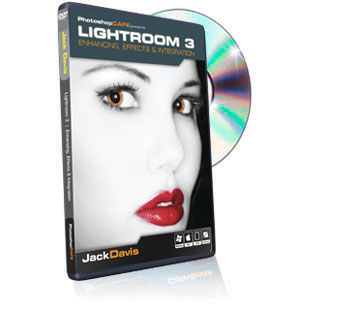
Follow along as Jack Davis, one of the world’s leading experts on digital imagery, guides you through ALL the incredible, life-saving features of Lightroom 3’s Develop module! Jack’s emphasis is always to explain the WHAT of a technique, as well as the HOW and the WHY behind it. And a technique is only great if it is also fast, flexible and easy to replicate, not only once or twice – but to hundreds of images at once, and that’s exactly what Jack will teach you! Whether it’s instant Optimizing, jaw-dropping Enhancing or subtle Portrait Retouching, you’ll be amazed at what you’ll be able to do within Lightroom 3’s Develop module, without even needing to open Photoshop! And when you DO need Photoshop, Jack will guide you through the Smartest way to integrate the two programs seamlessly!
Disks shipping right now, check it out here!
Save 15% with the code "Focus15"
Jack Davis
Enhancing and Retouching - within Lightroom!
Follow along as Jack Davis, one of the world’s leading experts on digital imagery, guides you through ALL the incredible, life-saving features of Lightroom 3’s Develop module! Jack’s emphasis is always to explain the WHAT of a technique, as well as the HOW and the WHY behind it. And a technique is only great if it is also fast, flexible and easy to replicate, not only once or twice – but to hundreds of images at once, and that’s exactly what Jack will teach you! Whether it’s instant Optimizing, jaw-dropping Enhancing or subtle Portrait Retouching, you’ll be amazed at what you’ll be able to do within Lightroom 3’s Develop module, without even needing to open Photoshop! And when you DO need Photoshop, Jack will guide you through the Smartest way to integrate the two programs seamlessly!
Disks shipping right now, check it out here!
Save 15% with the code "Focus15"
Tuesday, August 2, 2011
Thursday, July 21, 2011
Save $100 on Photoshop Lightroom 3
Save $100 on Photoshop Lightroom 3. Buy now
Adobe Photoshop Lightroom 3
Save $100 on Photoshop Lightroom 3
Adobe Photoshop Lightroom 3
Hurry, offer ends July 27, 2011*
Adobe® Photoshop® Lightroom® 3 software unites your digital photography
essentials in one fast and intuitive package:
Create incredible images that move your audience
Experiment fearlessly with state-of-the-art editing tools
Easily manage all your images
Buy now Limited time offer: Save $100 off a full version. Upgrade for US$99† Buy US$199
To order by phone, call 800-585-0774 and mention Offer Code LR3JUL199.
Adobe Photoshop Lightroom 3
Save $100 on Photoshop Lightroom 3
Adobe Photoshop Lightroom 3
Hurry, offer ends July 27, 2011*
Adobe® Photoshop® Lightroom® 3 software unites your digital photography
essentials in one fast and intuitive package:
Create incredible images that move your audience
Experiment fearlessly with state-of-the-art editing tools
Easily manage all your images
Buy now Limited time offer: Save $100 off a full version. Upgrade for US$99† Buy US$199
To order by phone, call 800-585-0774 and mention Offer Code LR3JUL199.
Sunday, July 17, 2011
5 Quick Tips and Tricks on Photoshop Lightroom
5 Quick Tips and Tricks on Photoshop Lightroom
Lightroom just like many photography apps is one of those programs that can do so much, but without knowing some of the little tips and tricks you might be barely scratching the surface. Today I want to cover 5 simple Lightroom tips that will help you on your way to becoming a Lightroom power user.
Saturday, July 16, 2011
Making Image Adjustments In The Histogram
Making Image Adjustments In The Histogram
"Many of you know the Histogram as a good way to view the tonal range of the image. Sometimes you might look at your cameras histogram to get a quick glance of your exposure. You might also peek at it in Lightroom to see if there is any clipping in the shadows or highlights. But did you know you can edit the image directly from the histogram in the Develop Module in Lightroom? Its a very quick and easy way to make some corrections to the image."
read the rest here:
"Many of you know the Histogram as a good way to view the tonal range of the image. Sometimes you might look at your cameras histogram to get a quick glance of your exposure. You might also peek at it in Lightroom to see if there is any clipping in the shadows or highlights. But did you know you can edit the image directly from the histogram in the Develop Module in Lightroom? Its a very quick and easy way to make some corrections to the image."
read the rest here:
Monday, March 7, 2011
Getting Started in Lightroom 3 Free Webinar
Getting Started in Lightroom 3 - Part 2: Advanced Image Editing, Custom Printer Profiles and Printing
Free Webinar
Two sessions are available:
Thursday, March 10th -- Session One - 1PM Eastern Time (12PM Central, 11AM Mountain, 10AM Pacific) Learn More and Register Here
Session Two - 3PM Eastern Time -- (2PM Central, 1PM Mountain, 12PM Pacific) Learn More and Register Here
In this follow-up to our part I session, we'll pick up where we left off and get into the details of powerful yet easy image editing in Lightroom 3. Covering both global and localized image adjustments we'll go over each of the Develop module panels and show how they each can be used effectively.
Once we have our images looking great, we'll prepare Lightroom 3 for printing, both on a desktop printer and when sending out to a lab. Using the X-Rite ColorMunki, we'll create a custom paper profile for our printer to ensure the most accurate color match when we print. For more detailed information please click on one of the registration links listed above.
Topics Covered
Lightroom Develop Module edits
Global vs. Localized edits
The Lightroom to Photoshop interface
Printing from Lightroom
Preparing images for your lab
Free Webinar
Two sessions are available:
Thursday, March 10th -- Session One - 1PM Eastern Time (12PM Central, 11AM Mountain, 10AM Pacific) Learn More and Register Here
Session Two - 3PM Eastern Time -- (2PM Central, 1PM Mountain, 12PM Pacific) Learn More and Register Here
In this follow-up to our part I session, we'll pick up where we left off and get into the details of powerful yet easy image editing in Lightroom 3. Covering both global and localized image adjustments we'll go over each of the Develop module panels and show how they each can be used effectively.
Once we have our images looking great, we'll prepare Lightroom 3 for printing, both on a desktop printer and when sending out to a lab. Using the X-Rite ColorMunki, we'll create a custom paper profile for our printer to ensure the most accurate color match when we print. For more detailed information please click on one of the registration links listed above.
Topics Covered
Lightroom Develop Module edits
Global vs. Localized edits
The Lightroom to Photoshop interface
Printing from Lightroom
Preparing images for your lab
Tuesday, January 18, 2011
Lightroom Clarity Slider
Lightroom Clarity Slider
The clarity slider is one of those adjustments in Lightroom that is a little bit vague. We all know what contrast and brightness does but what does clarity really mean? It can be a very useful tool in Lightroom for many types of images like landscapes and portraits. So what does it exactly do?
The clarity slider is one of those adjustments in Lightroom that is a little bit vague. We all know what contrast and brightness does but what does clarity really mean? It can be a very useful tool in Lightroom for many types of images like landscapes and portraits. So what does it exactly do?
Wednesday, December 29, 2010
Subscribe to:
Posts (Atom)