New Video Title: "Time-Lapse Photography Workshop"
I'm pleased to announce a new video training title that will help you master the art of creating time-lapse videos from still images. The new title is called "Time-Lapse Photography Workshop", and it features almost three hours of HD video covering the concepts, tools, techniques, and creative considerations involved in producing time-lapse videos.
You can get a 20% discount off this exciting video training title by entering TLAPSE20 in the discount code field during checkout from the video2brain online store. Get started here:
http://bit.ly/timgrey-timelapse
Thursday, January 5, 2012


Wednesday, January 4, 2012
Charles Lindsay photographer
| on vieW NOVEMBER 2 - JANUARY 29, 2012 | |||||
| car•bon [kahr-buhn] (noun): A widely distributed element that is the physical basis of all living organisms. Carbon atoms are able to link with each other and with other atoms to form infinite varietes of chains and rings. Carbon occurs in a pure state as diamond and graphite, and in an impure state as charcoal. A photographer, musician, and installation artist who originally trained to be a geologist, Charles Lindsay is fascinated by the aesthetics of scientific imaging and the great experiment that is life on earth. His work harnesses the organic, the sensory, and the mechanized to explore our perception of the universe and the evolution of symbols. At the heart of CARBON is a hybrid camera-less process Lindsay invented. This imaging technique fuses mark making with photography, utlizing a unique carbon based emulsion that he electrifies, freezes, and manipulates in many ways. The fantastically detailed negatives are scanned at high resolution, digitally processed, and then printed or animated. A similar analog to digital transformation occurs in his sound works, beginning with field recordings he gathers in remote environments and then processes. "My influences range from bizarre bio-forms and insect polyrhythms to fluorescent minerals and galactic super-structures. The bioluminescent comb jellyfish is a prime example. Making art is a way to explore pattern recognition and modes of perception and communication. What are the visceral and emotional responses to these stimuli? How does our mind grasp a new experience or process an unfamiliar shape that subconsciously elicits fear? I am intrigued by the idea that so much of our most trusted knowledge is based on images from beyond our normal scope of vision. With this in mind I am interested in our rapid evolutionary arc from early primates to astronauts and the increasing role devices play in 'seeing'. How will we evolve as as a species, will biology and artificial intelligence merge and what does life on earth suggest about what intelligent life might look or sound like elsewhere in the universe? Conceptually, I become most curious when ideas reach beyond the anthropocentric to suggest worlds with vastly different evolutionary paths from our own. The implication inherent to CARBON is the existence of species of consciousness other than our own." Imbued with the clarity of vision possessed by explorers throughout the ages, Charles Lindsay's CARBON project is a journey into mysterious and uncharted realms. He presents his art both as physical touchstones from psychological journeys and as catalysts to activate the viewer's senses, offering access to hidden dimensions which fill us with wonder and a curiosity for the unknown. Charles Lindsay spent ten years covering environmental issues as a photojournalist in Southeast Asia before moving back to the U.S. Solo exhibitions of CARBON have previously appeared at the Dennos Museum in MIchigan, the Sun Valley Center for the Arts in Idaho, and Visions West Gallery in Montana. Lindsay's work was included in Lyle Rexer's book The Edge of Vision: The Rise of Abstraction in Photography (Aperture, 2009) and in the accompanying exhibition at the Aperture Foundation in New York City. His experimental music was most recently presented at New York University's Frederick Lowe theater as part of the Ear to the Earth Festival. Lindsay's work can be found in the permanent collections of the Museum of Fine Art, Houston; The Philadelphia Museum of Art, and the hewlett Packard Contemporary Art Collection Lindsay's photographs have appeared in numerous international publications including The New York Times Magazine, Blind Spot, Aperture, Men's Journal, Sports Illustrated, CPW's PQ, and others. He has been profiled on National Public Radio, and CNN Internationl. He has lectured at the American Museum of Natural History, Pratt Institute, and the Open Center in New York, among others. Four monographs of his work have been published to date including Mentawai Shaman: Keeper of the Rain Forest (Aperture, 1992). Recently appointed to the Executive Committee of Musicians for the Environment, a branch of the Electronic Music Foundation, Lindsay is also the recipient of a 2010 Guggenheim Fellowship for Photography and is the first artist-in-residence at the renowned SETI Institute. To learn more about his work, work visit www.charleslindsay.com To view CPW's press release about the exhibition CARBON, click here. AND SAVE THE DATE! In addition to the exhibition there will be a live experimental performance performed by Charles Lindsay and 5 talented artists entitled Trout Fishing in Space which will be held at the Byrdcliffe Kleinert/James Art Center on Saturday December 10, 2011. Click here to learn more. |
Tuesday, January 3, 2012
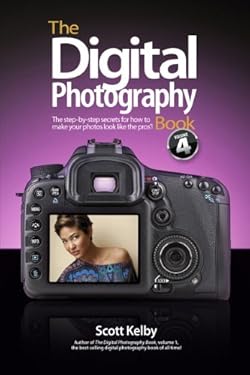
The Digital Photography Book, Part 4 by Scott Kelby
The Digital Photography Book, Part 4
Scott Kelby
Release date: March 10, 2012
Paperback: $14.59

Amazon Editor
Scott Kelby is back with yet another follow-up, an entirely new book that picks up right where he left off with Volume 3. The Digital Photography Book, Volume 4 follows in the footsteps of the wildly successful previous volumes, giving photographers nearly two hundred closely guarded photographic "tricks of the trade."
Scott Kelby
Release date: March 10, 2012
Paperback: $14.59
Amazon Editor
Scott Kelby is back with yet another follow-up, an entirely new book that picks up right where he left off with Volume 3. The Digital Photography Book, Volume 4 follows in the footsteps of the wildly successful previous volumes, giving photographers nearly two hundred closely guarded photographic "tricks of the trade."
Monday, January 2, 2012
Sync About It…or Thinking About Syncing
For more details on sync speed and flash photography in general, check out Syl Arena's book Speedliter’s Handbook.
Lisa here, we own this book, definitely the best book on flash photography Tom & I have seen
Sync About It…or Thinking About Syncing


One of the most important concepts in flash photography is sync speed. This is the fastest shutter speed that your camera can use with normal flash. For most DSLRs, the sync speed is 1/250″. Your camera’s sync speed may be faster or slower — so check your user manual if you don’t know.
Why can’t I use flash at any shutter speed I want? This is a fair question. It has to do with the design of your camera’s shutter. If you use a DSLR or an old-school 35mm film camera, your shutter mechanism has two curtains in front of the sensor/film plane. During the exposure, the 1st/front curtain opens and then the 2nd/rear curtain closes. The difference in timing between the movement of the two curtains is your shutter speed.
At many shutter speeds, the 1st-curtain will completely clear the sensor before the 2nd-curtain begins to close. If your flash fires at any of these speeds, the entire sensor will see the flash — which is what you normally need to make a flash photo. Your sync speed is the fastest shutter speed at which the 1st-curtain completely clears the sensor before the 2nd-curtain begins to move.
At faster shutter speeds, the 2nd-curtain begins to close before the 1st-curtain is completely open. The shutter literally becomes a slit between the curtains that moves across the sensor. So, there is no point at which the flash can illuminate the entire sensor.
High-Speed Sync is a special flash mode that changes the way your Speedlite fires. Rather than fire one big pulse of light, HSS turns the Speedlite into a machine-gun of light that fires an insanely-fast series of pulses. Essentially the Speedlite becomes a continuous light source for a very brief period of time. The downside is that HSS consumes a ton of power. So, your Speedlite in HSS is 2.5 stops dimmer than it is in normal mode. There are loads of reasons to use HSS. Click here for the many articles I’ve written on HSS.
For more details on sync speed and flash photography in general, check out Syl Arena's book Speedliter’s Handbook.
Lisa here, we own this book, definitely the best book on flash photography Tom & I have seen
Sync About It…or Thinking About Syncing
One of the most important concepts in flash photography is sync speed. This is the fastest shutter speed that your camera can use with normal flash. For most DSLRs, the sync speed is 1/250″. Your camera’s sync speed may be faster or slower — so check your user manual if you don’t know.
Why can’t I use flash at any shutter speed I want? This is a fair question. It has to do with the design of your camera’s shutter. If you use a DSLR or an old-school 35mm film camera, your shutter mechanism has two curtains in front of the sensor/film plane. During the exposure, the 1st/front curtain opens and then the 2nd/rear curtain closes. The difference in timing between the movement of the two curtains is your shutter speed.
At many shutter speeds, the 1st-curtain will completely clear the sensor before the 2nd-curtain begins to close. If your flash fires at any of these speeds, the entire sensor will see the flash — which is what you normally need to make a flash photo. Your sync speed is the fastest shutter speed at which the 1st-curtain completely clears the sensor before the 2nd-curtain begins to move.
At faster shutter speeds, the 2nd-curtain begins to close before the 1st-curtain is completely open. The shutter literally becomes a slit between the curtains that moves across the sensor. So, there is no point at which the flash can illuminate the entire sensor.
High-Speed Sync is a special flash mode that changes the way your Speedlite fires. Rather than fire one big pulse of light, HSS turns the Speedlite into a machine-gun of light that fires an insanely-fast series of pulses. Essentially the Speedlite becomes a continuous light source for a very brief period of time. The downside is that HSS consumes a ton of power. So, your Speedlite in HSS is 2.5 stops dimmer than it is in normal mode. There are loads of reasons to use HSS. Click here for the many articles I’ve written on HSS.
For more details on sync speed and flash photography in general, check out Syl Arena's book Speedliter’s Handbook.
Sunday, January 1, 2012
John Paul Caponigro 2012 workshop dates
John Paul Caponigro 2012 workshop dates
2012 workshop dates are now live!
Join me for these amazing adventures!
Register early and get 10% off!
Alumni get an additional 10% off!
Saturday, December 31, 2011
New Haven Register EDITOR'S PICK: 2011 - The year in pictures
As we prepare to ring out 2011 tonight, we invite you to take a look back at the year in pictures from Greater New Haven and around the world in these slideshows featured on the Register's photo blog.
Happy New Year to all!
http://maillist.townnews.com/unsubscribe.php?key=b6fd17b029eb4a44697478c77516d666
Happy New Year to all!
http://maillist.townnews.com/unsubscribe.php?key=b6fd17b029eb4a44697478c77516d666
9 Essential Photo Editing iPhone Apps
9 Essential Photo Editing iPhone Apps
Finding it hard to choose between so many photo editing iPhone apps? Here's my short list of essential photo editing apps. Get these ten apps and it's likely you'll only buy other apps for specialized effects or participating in specific social networks. http://www.huffingtonpost.com/john-paul-caponigro/9-essential-photo-editing_b_1029790.html
Finding it hard to choose between so many photo editing iPhone apps? Here's my short list of essential photo editing apps. Get these ten apps and it's likely you'll only buy other apps for specialized effects or participating in specific social networks. http://www.huffingtonpost.com/john-paul-caponigro/9-essential-photo-editing_b_1029790.html
Friday, December 30, 2011
New Gear: Ubertronix Strike Finder Automatically Captures Lightning Photos
New Gear: Ubertronix Strike Finder Automatically Captures Lightning Photos
Taking the guesswork out of lightning photography

Ubertronix has announced a new line of products, the lightning snapping Strike Finder, which is available in three different forms and prices, depending on how many other features you want included. Running from $109.95 to $299.95, even the most basic model allos you to set up your camera and have it automatically detect lightning, and fire off a quick snap to capture the fast moving bolt.
The Strike Finder isn't the only lightning trigger on the market (see: 1, 2, 3, 4), most of which seem to work on a similar principle. Lightning strikes are actually usually a cluster of strikes rather than a single big one, and the triggers detect the first sparks and hit the shutter in time to capture the rest of them. So in a way, it's related to a slaved strobe, reacting to changes in light by taking photos. There are other ways of doing it, the forthcoming Triggertrap should allow lightning capture simply by doing repeated long exposures until one is captured, though that's a decidedly less elegant method.
Ubertronix Strike Finder lets you take pictures of lightnings, popping balloons and even speeding bullets
Read more on PhotoRumors.com: http://photorumors.com/2011/12/19/ubertronix-strike-finder-lets-you-take-pictures-of-lightnings-popping-balloons-and-even-speeding-bullets/#ixzz1hLWzzp9E
Taking the guesswork out of lightning photography
- By Tim Barribeau
The Strike Finder isn't the only lightning trigger on the market (see: 1, 2, 3, 4), most of which seem to work on a similar principle. Lightning strikes are actually usually a cluster of strikes rather than a single big one, and the triggers detect the first sparks and hit the shutter in time to capture the rest of them. So in a way, it's related to a slaved strobe, reacting to changes in light by taking photos. There are other ways of doing it, the forthcoming Triggertrap should allow lightning capture simply by doing repeated long exposures until one is captured, though that's a decidedly less elegant method.
Ubertronix Strike Finder lets you take pictures of lightnings, popping balloons and even speeding bullets
Read more on PhotoRumors.com: http://photorumors.com/2011/12/19/ubertronix-strike-finder-lets-you-take-pictures-of-lightnings-popping-balloons-and-even-speeding-bullets/#ixzz1hLWzzp9E
Winter Wildlife Cruise
From Mass Bird.
Birders:
MARK YOUR CALENDARS : MONDAY JANUARY 16, 2012
Boston Harbor Islands National Park is hosting a winter wildlife
cruise on Monday, January 16th, 2012 (MLKing day).
We will venture to the outer Harbor Islands, Hingham Bay and the Weir River estuary. The tour will be with guided rangers with the help of expert birders : Wayne Petersen, Bob Stymeist, and Tim Factor.
Cruise departs from both Quincy and Boston; Reservations are recommended. If you leave from Boston, you can reserve your tickets online, otherwise call Boston's Best Cruises at (617) 770-0040. Tickets cost $14 - $20 and include a complimentary beverage.
Past trips have recorded Snowy Owl, Harlequin Duck, Black Guillemot and Purple Sandpipers as well as all the regular waterfowl.
We hope you can join us.
Bob Stymeist

When: 1/16/2012 Mon @ 10:00 am,11:00 am; Length: 4 Hrs 30 Minutes
Tickets include one complimentary beverage. Groups that purchase 10 or more tickets from Boston's Best Cruises Group Coordinator, will get a check back for $4.00 per ticket for the non-profit organization of their choice. Call 617.770.0040 x102 to book a group.
If you would like the donation to support the park, please designate to Boston Harbor Island Alliance.
Birders:
MARK YOUR CALENDARS : MONDAY JANUARY 16, 2012
Boston Harbor Islands National Park is hosting a winter wildlife
cruise on Monday, January 16th, 2012 (MLKing day).
We will venture to the outer Harbor Islands, Hingham Bay and the Weir River estuary. The tour will be with guided rangers with the help of expert birders : Wayne Petersen, Bob Stymeist, and Tim Factor.
Cruise departs from both Quincy and Boston; Reservations are recommended. If you leave from Boston, you can reserve your tickets online, otherwise call Boston's Best Cruises at (617) 770-0040. Tickets cost $14 - $20 and include a complimentary beverage.
Past trips have recorded Snowy Owl, Harlequin Duck, Black Guillemot and Purple Sandpipers as well as all the regular waterfowl.
We hope you can join us.
Bob Stymeist
Winter Wildlife Cruise
Winter Wildlife Cruise
Description
Cruise the outer Harbor Islands, Hingham Bay and Weir River estuary.
Park rangers and experienced birders Bob Stymeist, Wayne Petersen, and Tim Factor will lead this winter wildlife tour. Past trips have recorded Snowy Owl, Harlequin Duck, Black Guillemot and Purple Sandpipers as well as all the regular waterfowl.
The boat is enclosed and heated, but there is plenty of deck space for the best viewing opportunities. Reservations are strongly suggested.
Boat departs from Quincy & Boston on the following schedule:
Depart Quincy at 10:00 AM, return at 2:30 PM
Depart Boston 11:00 AM, return at 2:00 PM
If departing from Boston, reservations are available online at the link below.
Park rangers and experienced birders Bob Stymeist, Wayne Petersen, and Tim Factor will lead this winter wildlife tour. Past trips have recorded Snowy Owl, Harlequin Duck, Black Guillemot and Purple Sandpipers as well as all the regular waterfowl.
The boat is enclosed and heated, but there is plenty of deck space for the best viewing opportunities. Reservations are strongly suggested.
Boat departs from Quincy & Boston on the following schedule:
Depart Quincy at 10:00 AM, return at 2:30 PM
Depart Boston 11:00 AM, return at 2:00 PM
If departing from Boston, reservations are available online at the link below.
When: 1/16/2012 Mon @ 10:00 am,11:00 am; Length: 4 Hrs 30 Minutes
Where: Non-Island Location
Accessibility: The vessel and docks meet ADA accessibility standards.
Program Fee
| Adult: | $20.00 |
| Children (age 3-11) | $14.00 |
| Children under 3 | Free |
| Family 4 pack | $50.00 |
| Seniors | $17.00 |
Tickets include one complimentary beverage. Groups that purchase 10 or more tickets from Boston's Best Cruises Group Coordinator, will get a check back for $4.00 per ticket for the non-profit organization of their choice. Call 617.770.0040 x102 to book a group.
If you would like the donation to support the park, please designate to Boston Harbor Island Alliance.
Reservation Contact Information
Program Contact Information
Directions
Boats will depart from Long Wharf, Boston and Quincy Shipyard. Check the event description for the schedule.Sponsor:
National Park ServiceAdditional Sponsor(s):
Boston Harbor Island Alliance, Boston's Best Cruises, Massachusetts Department of Conservation & RecreationThursday, December 29, 2011
Canon 40Ds for sale
Tom and I upgraded our cameras and we are selling our Canon 40D Digital SLR cameras. Includes box and all components plus a LCD screen protector. Excellent condition. Two at $400 each. Email us at tlcbam@comcast.net
Canon 40D Digital SLR
Canon 40D Digital SLR
| Product Information | |
| With the 10.1 MP resolutions, the Canon EOS 40D SLR camera delivers stunning picture quality. The 3.0-inch LCD display of this Canon 10.1 MP camera gives you clear and precise view of your photos. This shock, dust and weather- resistant Canon digital SLR camera can be carried anywhere with you. Built-in cleaning system in this Canon 10.1 MP camera automatically cleans the camera. Whereas, the 6.5 fps continuous shooting function in this Canon digital SLR camera captures images with detailed clarity. The Canon EOS 40D camera can be used with Canon EF and EF-S lenses. | |
| Product Identifiers | |
| Brand | Canon |
| Model | 40D |
| MPN | EOS40DBODY |
| Key Features | |
| Camera Type | Digital SLR |
| Sensor Resolution | 10.1 MP |
| Screen Size | 3" |
| Optical Sensor | |
| Sensor Size | 14.8 x 22.2mm |
| Sensor Type | CMOS |
| Lens System | |
| Lens For SD | Body Only |
| Auto Focus type | TTL phase detection |
| Exposure | |
| Max Shutter Speed | 1/8000 sec |
| Min Shutter Speed | 30 sec |
| Exposure compensation | ±3 EV range, in 1/2 or 1/3 EV steps |
| Exposure Range | EV -0.5-18 ( ISO 100 ) |
| Exposure Metering | Center-Weighted, Evaluative, Spot, partial (9%) |
| Exposure Modes | Aperture-Priority, Automatic, Bulb, Depth-Of-Field, E-TTL II Program Flash, Manual, Program, Shutter-Priority |
| Light Sensitivity | ISO 100-1600, ISO 3200 |
| Light Sensitivity Max | 3200 |
| Camera Flash | |
| Flash Type | Pop-up Flash |
| Camera Flash Features | AF Illuminator, Flash +/- Compensation |
| Flash Modes | Auto Mode, E-TTL |
| Memory / Storage | |
| Supported Flash Memory | CompactFlash, Microdrive |
| Viewfinder | |
| Viewfinder Type | Optical |
| Optical Viewfinder Type | Fixed eye-level pentaprism |
| Viewfinder - Field Coverage | 95% |
| Viewfinder Magnification | 0.95x |
| Dioptric Correction Range | -3 to +1 |
| Dimensions | |
| Depth | 2.9 in. |
| Height | 4.3 in. |
| Width | 5.7 in. |
| Weight | 24 Oz. |
| Display | |
| Display Type | LCD |
| Display Rotation | Built-in |
| Screen Details | LCD display - TFT active matrix - 3" - color |
| Display Size | 3" |
| Microphone | |
| Microphone Type | None |
| Connections | |
| Connector Types | 1 x USB, 1 x composite video output, 1 x flash terminal, 1 x remote control |
| Expansion Slot | 1 x CompactFlash Card - type I/II |
| Battery | |
| Battery Form Factor | Manufacturer specific |
| File Format | |
| Still Image Format | JPEG, RAW, RAW + JPEG |
| Environmental Parameters | |
| Min Operating Temperature | 0 °C |
| Max Operating Temperature | 40 °C |
| Other Features | |
| Additional Features | AE/FE Lock, AF Lock, Auto Power Save, Brightness Control, DPOF Support, Depth-Of-Field Preview Button, Digital Image Rotation, Direct Print, Histogram Display, LCD Live View Mode, PictBridge Support, RGB Primary Color Filter, USB 2.0 Compatibility, Wi-Fi |
| Miscellaneous | |
| Color | Black |
| Continuous Shooting Speed | 6.5 frames per second |
Canon equipment for sale
1. Canon EOS 5D Mark II (Camera Body). Excellent condition. I still have the box which contains all materials as when purchased.
2. Canon EOS 50D (Camera Body). Excellent condition. I still have the box which contains all materials as when purchased.
3. Canon 16-35 F/2.8L EF II USM Autofocus Lens. Excellent condition. Includes the hood.
4. Canon 24-105 F/4L IS USM Autofocus Lens. Excellent condition. Includes the hood.
5. Canon 70-200 F/2.8L IS USM Autofocus Lens. Excellent condition. Includes the hood.
6. Canon 70-300 F/4-5.6 EF IS USM Autofocus Lens. Excellent condition. Includes the hood.
7. Canon 17-85 F/4-5.6 EF IS USM Lens. Excellent condition. Includes the hood.
8. Canon 28-135 F/3.5-5.6 IS USM AF Lens. Excellent condition. Includes the hood.
Contact John Supan (203-214-4091) or supan46@yahoo.com
Light Stalking
Photographic Inspiration
The most popular types of articles on Light Stalking seem to be our showcases of what other photographers are doing. We find these articles and collections quite inspirational and hope you do too!
The most popular types of articles on Light Stalking seem to be our showcases of what other photographers are doing. We find these articles and collections quite inspirational and hope you do too!
- Remarkable Water Droplet Photography Steve Wall - one of the most popular posts of all time on Light Stalking so you don't want to miss it!
- A Backyard Guide to Astrophotography - some incredible space photography taken by backyard photographers!
- 15 Stunning Examples of Waterfall Photography - a great way to pick yourself up if you need a little inspiration.
- 16 Remarkable Infrared Photos - a surprisingly simple effect to acieve can have dramatic results.
Guy Tal's image “Badlands in Bloom” goes viral!
Going Viral
Guy Tal's image “Badlands in Bloom” had become quite popular over the holiday weekend. It appears that someone included it in a viral email titled “Extraordinary Pictures”. Quite the compliment!As a token of my appreciation, I am of
fering a post-holiday print special: an 8×10 archival print, double-matted to 11×14 and ready to frame for the low price of $49.95 (US shipping included). Buyers may choose either a white or black mat.
Orders can be placed directly at the Guy Tal Photography home page.

Wednesday, December 28, 2011
Perfect Photo Suite 6 - SALE $149 or $249
As 2011 comes to a close, we want to take a moment and thank you for your continued interest in onOne Software. Without you, none of us would be doing what we love every day.
We are reaching out today to offer you the lowest price ever for the Perfect Photo Suite 6 - $249 for one day only!
Order now and get all seven products in Suite 6 at this special price.
We are truly thankful, proud, and humbled to know that we've already helped over 50,000 photographers realize their photographic vision with the seven products in the new Perfect Photo Suite 6. We know you'll love all the new features and tools that Suite 6 offers, and you'll have peace of mind knowing that your purchase is backed by a 30-day guarantee, free technical support, and free online training videos.
Did you know that Suite 6 has been completely rebuilt from the ground-up, and that all seven products now work as standalone applications inside a single intuitive interface? The Suite also works as a plug-in for Photoshop, Lightroom and Aperture, so you can use it wherever you work.
Learn more about Perfect Photo Suite 6.
The $249 price that we're offering right now is not published anywhere else, and you can only get it by clicking here now.
We appreciate your continued interest in onOne Software and we thank you for allowing us into your email inbox.
Happy New Year!
A fully integrated suite of 7 products, the revolutionary new Perfect Photo Suite 6 now works as a standalone application or as a plug-in for Photoshop, Lightroom & Aperture. The Suite offers the best tools for solving the most common problems faced by photographers, including Perfect Effects 3 - the next generation of PhotoTools for photographic effects, the new Perfect Portrait 1 for powerful retouching, the new Perfect Mask 5 - the next generation of Mask Pro, Perfect Layers 2 for combining and images from Lightroom or Aperture, Perfect Resize 7 Pro for image enlargement, FocalPoint 2 for realistic depth-of-field, and PhotoFrame 4.6 for the perfect finishing touch.
Today only, product owners can get Perfect Photo Suite 6 for only $149.95! This is a secret sale that's only offered on this page! Buy now!
Today only, product owners can get Perfect Photo Suite 6 for only $149.95! This is a secret sale that's only offered on this page! Buy now!
| Regular Price | Your Price $149.95 | You Save $150.00 |

Today Only!
Limited Time Offer - Today Only!
13 Places Every Landscape Photographer Should See Before They Die
13 Places Every Landscape Photographer Should See Before They Die
by scottbourneIn no particular order, here are 13 places I think every landscape photographer (and anyone else who appreciates natural beauty) should see before they die.
http://photofocus.com/2011/12/08/13-places-every-landscape-photographer-should-see-before-they-die/
Visionary Death Valley Workshop
Visionary Death Valley (February 16-21): Guy Tal and Michael Gordon have carefully selected some of the park’s most unique locations for this workshop, combining outstanding photography with inspirational, creative and technical discussion sessions. In addition to classes in the field, Guy and Michael will work individually with participants to address questions, assist with compositions, offer ideas, and share their knowledge. Discussions will include informative reviews and critique sessions of each participant’s images made during the workshop.
Tuesday, December 27, 2011
Ask Tim Grey - JPEG Options
www.timgrey.comAsk Tim Grey eNewsletter Celebrating 10 Years of Ask Tim Grey...
Today's Question: When saving a JPEG in Photoshop, at the bottom of the JPEG Options dialog there are three Format Options: Baseline (Standard), Baseline (Optimized) and Progressive. Under Progressive there is Scans, with the drop down numbers 3, 4, 5. I just noticed when saving a JPEG mine was on Progressive, and the drop down of 3. Should it be on that? I never really noticed it before....
Tim's Answer: I suppose I'd say my "short answer" to this question is that it really doesn't matter, and that you really don't need to worry about which option is set. That said, the setting you use does have an impact on the images you save in the JPEG file format, so it isn't a bad idea to understand what the options mean.
The Baseline (Standard) option is what I think of as the "normal" JPEG option. In this case, by "normal" I mean it is the JPEG format option that is most widely supported, and so it is option that has historically been supported by the widest range of software. So when in doubt, it is the safest option to choose for your JPEG images.
Of course, software has developed quite a bit over the years, and so the Baseline (Optimized) setting is now supported by the vast majority of software that supports JPEG images. In fact, in the last five years (perhaps ten years?) I've not heard from a single person who has run into a problem in terms of compatibility when it comes to JPEG images with the Baseline (Optimized) setting. And in most cases, the Baseline (Optimized) option will result in smaller file sizes compared to Baseline (Standard). Generally that reduction in file size is quite minimal, but it can be helpful for situations where you are especially concerned about file size.
The Progressive option is a variation on Baseline (Optimized). The file size will be the same as with Baseline (Optimized), but the image data is written in such a way as to have the image appear in several passes when it is opened. What that really means is that if you use a JPEG image with the Progressive option on a website, and the download speed is a little slow, the image will first appear a bit out of focus (because, for example, only every third line is displayed), then in slightly better focus, and then in normal focus. For users who have a broadband Internet connection, you might never even notice the Progressive setting was used for a particular JPEG. But it is helpful (or annoying, depending on your perspetive) for those opening images on a slow Internet connection.
I'm not a big fan of the effect you get with a Progressive JPEG image, so my preference is for Baseline (Optimized), largely because it generally reduces file size at least a little, without reducing image quality compared to the Baseline (Standard) option.
Tell a Friend!
Do your photography friends a favor: Tell them about the free Ask Tim Grey eNewsletter.
You already know that the Ask Tim Grey eNewsletter is a great way to gain knowledge on all aspects of digital photography and imaging. Your friends might be missing out. Why not forward this email to them and suggest that they sign up using the box on my home page at www.timgrey.com? I'll bet they'll thank you! (And so will I).
Today's Question: When saving a JPEG in Photoshop, at the bottom of the JPEG Options dialog there are three Format Options: Baseline (Standard), Baseline (Optimized) and Progressive. Under Progressive there is Scans, with the drop down numbers 3, 4, 5. I just noticed when saving a JPEG mine was on Progressive, and the drop down of 3. Should it be on that? I never really noticed it before....
Tim's Answer: I suppose I'd say my "short answer" to this question is that it really doesn't matter, and that you really don't need to worry about which option is set. That said, the setting you use does have an impact on the images you save in the JPEG file format, so it isn't a bad idea to understand what the options mean.
The Baseline (Standard) option is what I think of as the "normal" JPEG option. In this case, by "normal" I mean it is the JPEG format option that is most widely supported, and so it is option that has historically been supported by the widest range of software. So when in doubt, it is the safest option to choose for your JPEG images.
Of course, software has developed quite a bit over the years, and so the Baseline (Optimized) setting is now supported by the vast majority of software that supports JPEG images. In fact, in the last five years (perhaps ten years?) I've not heard from a single person who has run into a problem in terms of compatibility when it comes to JPEG images with the Baseline (Optimized) setting. And in most cases, the Baseline (Optimized) option will result in smaller file sizes compared to Baseline (Standard). Generally that reduction in file size is quite minimal, but it can be helpful for situations where you are especially concerned about file size.
The Progressive option is a variation on Baseline (Optimized). The file size will be the same as with Baseline (Optimized), but the image data is written in such a way as to have the image appear in several passes when it is opened. What that really means is that if you use a JPEG image with the Progressive option on a website, and the download speed is a little slow, the image will first appear a bit out of focus (because, for example, only every third line is displayed), then in slightly better focus, and then in normal focus. For users who have a broadband Internet connection, you might never even notice the Progressive setting was used for a particular JPEG. But it is helpful (or annoying, depending on your perspetive) for those opening images on a slow Internet connection.
I'm not a big fan of the effect you get with a Progressive JPEG image, so my preference is for Baseline (Optimized), largely because it generally reduces file size at least a little, without reducing image quality compared to the Baseline (Standard) option.
Tell a Friend!
Do your photography friends a favor: Tell them about the free Ask Tim Grey eNewsletter.
You already know that the Ask Tim Grey eNewsletter is a great way to gain knowledge on all aspects of digital photography and imaging. Your friends might be missing out. Why not forward this email to them and suggest that they sign up using the box on my home page at www.timgrey.com? I'll bet they'll thank you! (And so will I).
Monday, December 26, 2011
Examining Compensation Models for Visual Content
Examining Compensation Models for Visual Content
January 11, 2012
1:00pm - 2:30pm ET
Click Register Now! Space is limited!
Upon completion of your registration, you will receive a confirmation email from Copyright Clearance Center. The day before the event you will receive an email with log-in instructions for the audio and visual portions of the online seminar.
Need more information:
OnCopyright Education
education@copyright.com
1-800-982-3887 x2808
January 11, 2012
1:00pm - 2:30pm ET
Click Register Now! Space is limited!
Upon completion of your registration, you will receive a confirmation email from Copyright Clearance Center. The day before the event you will receive an email with log-in instructions for the audio and visual portions of the online seminar.
Need more information:
OnCopyright Education
education@copyright.com
1-800-982-3887 x2808
Sunday, December 25, 2011
How to Make Shaped Bokeh
How to Make Shaped Bokeh
Making shaped bokeh can add a touch of fun to your holiday photos. In this free tutorial, our contributor Dana Suggs shows you how to create bokeh shapes.
Last year, I posted the above photo of Brooklyn’s letter to Santa on Facebook. Here it is again for those that don’t stalk me on Facebook. LOL
I know…..sweet huh?
But I got a lot of comments on the beautiful snowflake bokeh in the background. No, my Christmas lights are not snowflake shaped, they are just normal little white tree lights. In fact, I have made them in other shapes as well.

read the rest here
Making shaped bokeh can add a touch of fun to your holiday photos. In this free tutorial, our contributor Dana Suggs shows you how to create bokeh shapes.

Last year, I posted the above photo of Brooklyn’s letter to Santa on Facebook. Here it is again for those that don’t stalk me on Facebook. LOL
I know…..sweet huh?
But I got a lot of comments on the beautiful snowflake bokeh in the background. No, my Christmas lights are not snowflake shaped, they are just normal little white tree lights. In fact, I have made them in other shapes as well.
read the rest here
Saturday, December 24, 2011
The 18th Annual Readers' Photo Contest Winners
The 18th Annual Readers' Photo Contest Winners
The very best in sports, animals, architecture, landscapes, objects and people
- By Pop Photo Staff on December 19, 2011
Year after year, PopPhoto's biggest contest proves that great photos can come from anywhere and be made by anyone. Once again, our editors were blown away by the caliber of the submissions.
This year, PopPhoto's winners’ locations were as diverse as their techniques, from Florentine snapshots to large-format landscapes of Nevada’s Black Rock Desert. And despite their varied backgrounds and professions, all had this in common: For at least one moment, they captured something quite beautiful.
Sit back, relax and take a look through the very best images that you, our readers, had to offer in 2011: http://www.popphoto.com/photos/2011/12/18th-annual-readers-photo-contest?cmpid=enews122211
This year, PopPhoto's winners’ locations were as diverse as their techniques, from Florentine snapshots to large-format landscapes of Nevada’s Black Rock Desert. And despite their varied backgrounds and professions, all had this in common: For at least one moment, they captured something quite beautiful.
Sit back, relax and take a look through the very best images that you, our readers, had to offer in 2011: http://www.popphoto.com/photos/2011/12/18th-annual-readers-photo-contest?cmpid=enews122211
Subscribe to:
Posts (Atom)